Prepare sessions, notes, quests and handouts
Gatherune has a Prepare workspace for game masters, beside the table. Notes, quests, handouts and session plans stay private to the owner and co-GMs until you publish them, and you choose whether each one goes to everyone or to named players. Players keep their own private Journal.
Updated
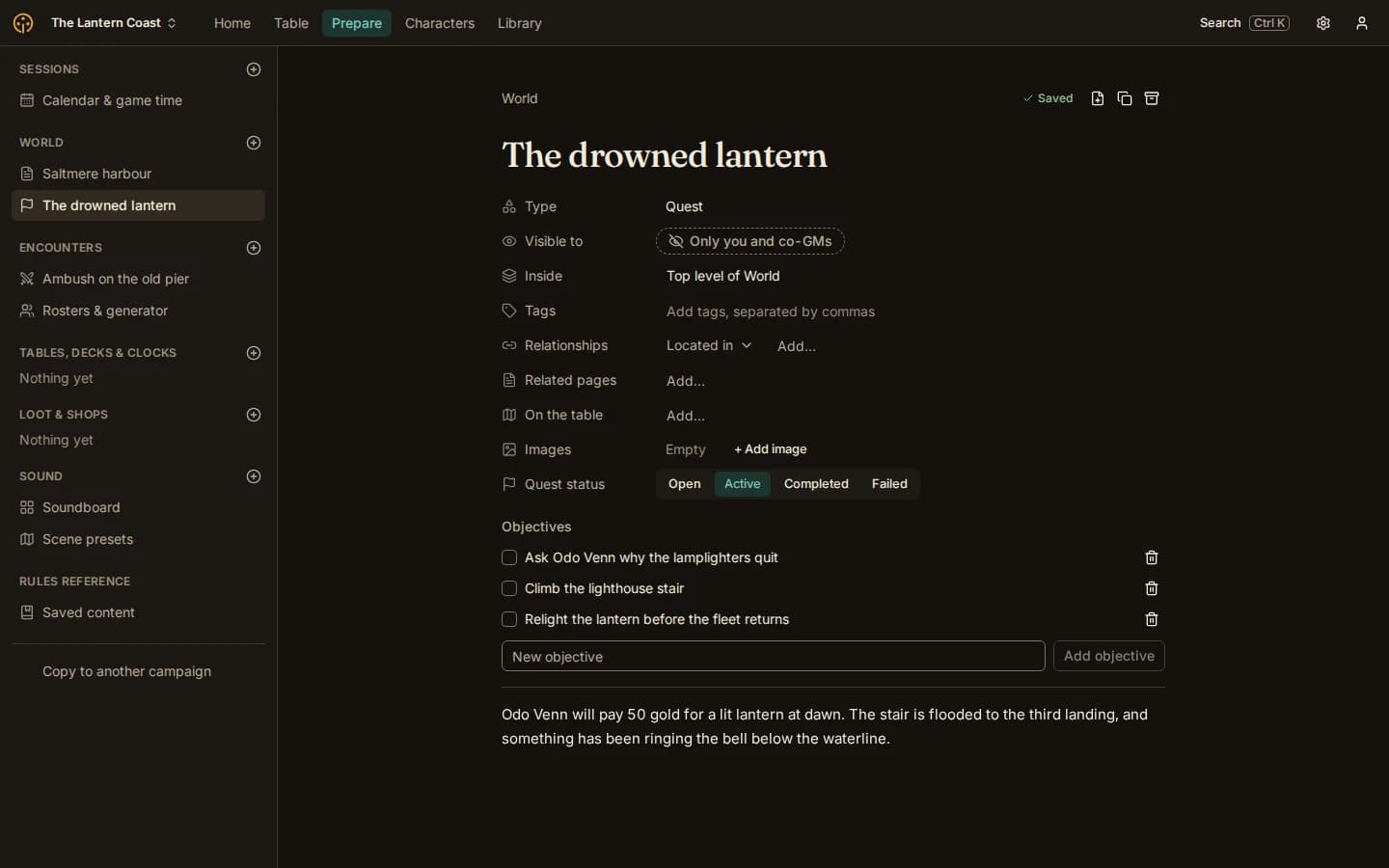
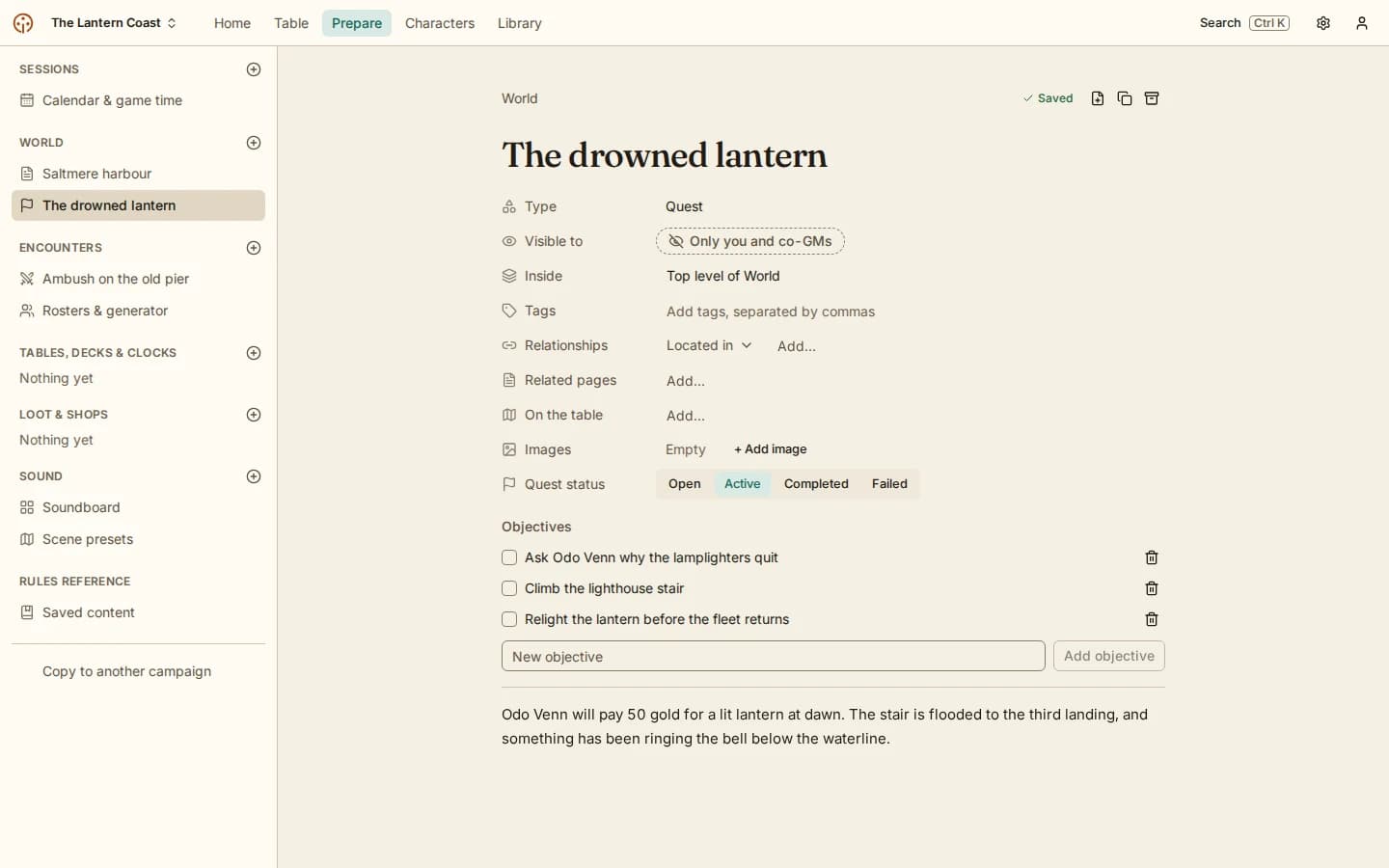
One workspace, one page for each thing
Prepare is a sidebar and a page, like a notes app. The sidebar groups what you have written: My pages, From players, Sessions, World, Encounters, Tables, decks & clocks, Loot & shops, Sound and Rules reference. Choose a group's name to open an overview of its pages. Players see only the groups that hold what you have shared with them.
- World holds notes, journals, quests and handouts. Pages can sit inside other pages.
- Start from a structure: NPC profile, Location notes, Session journal, Session prep checklist, Quest outline or Letter handout. Your copy starts private.
- Add up to 20 tags, link up to 20 other documents, and attach up to four pictures to a document.
- A quest has a status of Open, Active, Completed or Failed, and a list of objectives you can tick off.
- Changes save as you type. If a page changes somewhere else while you edit, Gatherune keeps your draft and asks you to review the differences.
Choose who reads each page
- Every new document is private: “Only you and co-GMs”.
- Publish to everyone, or to chosen players, up to 32 of them. A player who is not chosen is never sent the document, so there is nothing to find by inspecting the page.
- After publishing, saving updates what players see. Make it private again before you add secrets.
- Show a saved handout at the table, or Show a picture, and it opens for the people who may read it.
- Archive a page to hide it from players. Restoring it brings it back as private.
Plan a session, then recap it
A session is one page for one game night: private preparation, a checklist of up to 50 tasks, a date and time zone, and the outcome once it is over.
- Choose Start session when you sit down, and Close session… when you finish. At the table, the Session run sheet shows the plan and checklist, and Start a session now begins one you had not planned. Closing locks the plan and keeps the checklist as it was.
- Carry unfinished tasks forward into a new private session.
- Record who attended. Attendance history is visible to the owner and co-GMs only.
- Write a recap after the game, then show it to everyone as “Previously on…” when the group returns. Take it back if you change your mind.
Publish the next date
- Publish a session with a public title, an agenda and a start time. Only those fields reach players; your private plan does not.
- Players see it as the next session. The Calendar & game time page shows your published and planned sessions by month.
- Download a calendar file of the published sessions, or turn on in-app reminders for an hour or a day before. Reminders stay inside Gatherune and no email is sent.
Players keep a journal
Each player has a Journal of pages only they can read. A player can share a saved page with everyone or with chosen players, and stop sharing it later. The game master sees a page only once it is shared.
Questions
Can players see my notes?
Not until you publish them. A private page is never sent to players, and a page you publish to chosen players is not sent to anyone else.
Can I prepare while the table is running?
Yes. Prepare is a separate page from the table. Your changes save automatically, and published pages update for players when you save.
How many documents can a campaign hold?
1,000, including archived ones.
Can the game master read a player's journal?
Only the pages the player has shared. Private pages are not visible to the game master.